
01
Overview
The Vreal platform
Vreal was building a way to watch games from inside them. Creators recorded themselves playing, in VR or traditional 2D, and published the recording to Vreal. Viewers could then play it back, in VR or 2D, standing inside the actual game alongside the creator. The goal was to go beyond the passive watching of platforms like YouTube, Twitch, and Mixer.
I was the Sr. UX Designer, responsible for UI/UX and visual design across desktop, VR, and web, with most of my time on the main desktop application. The work also took me into Unity, building assets and behavior for VR features that an engineer then integrated, and into After Effects for motion studies and the web player's animations. I reported to the VP of Product and worked with project managers, QA, and front- and back-end engineers.
02
Challenge
Four very different users
Vreal had four kinds of users, and each needed something different from the same product.
Content creators: Recorded and published content. They needed to record and upload with as little friction as possible, and to customize each recording with a title, description, and tags.
Viewers: Watched the content. They needed to watch, leave comments, and start parties just as easily.
Game developers: Viewers stepped inside their games, so we'd need to work with some of them directly to make the viewing experience as good as it could be.
Advertisers: Planned, but never launched. We intended to offer third parties advertising packages, including landing page takeovers, sponsored creator content, and banner ads.
03
Process
The design work
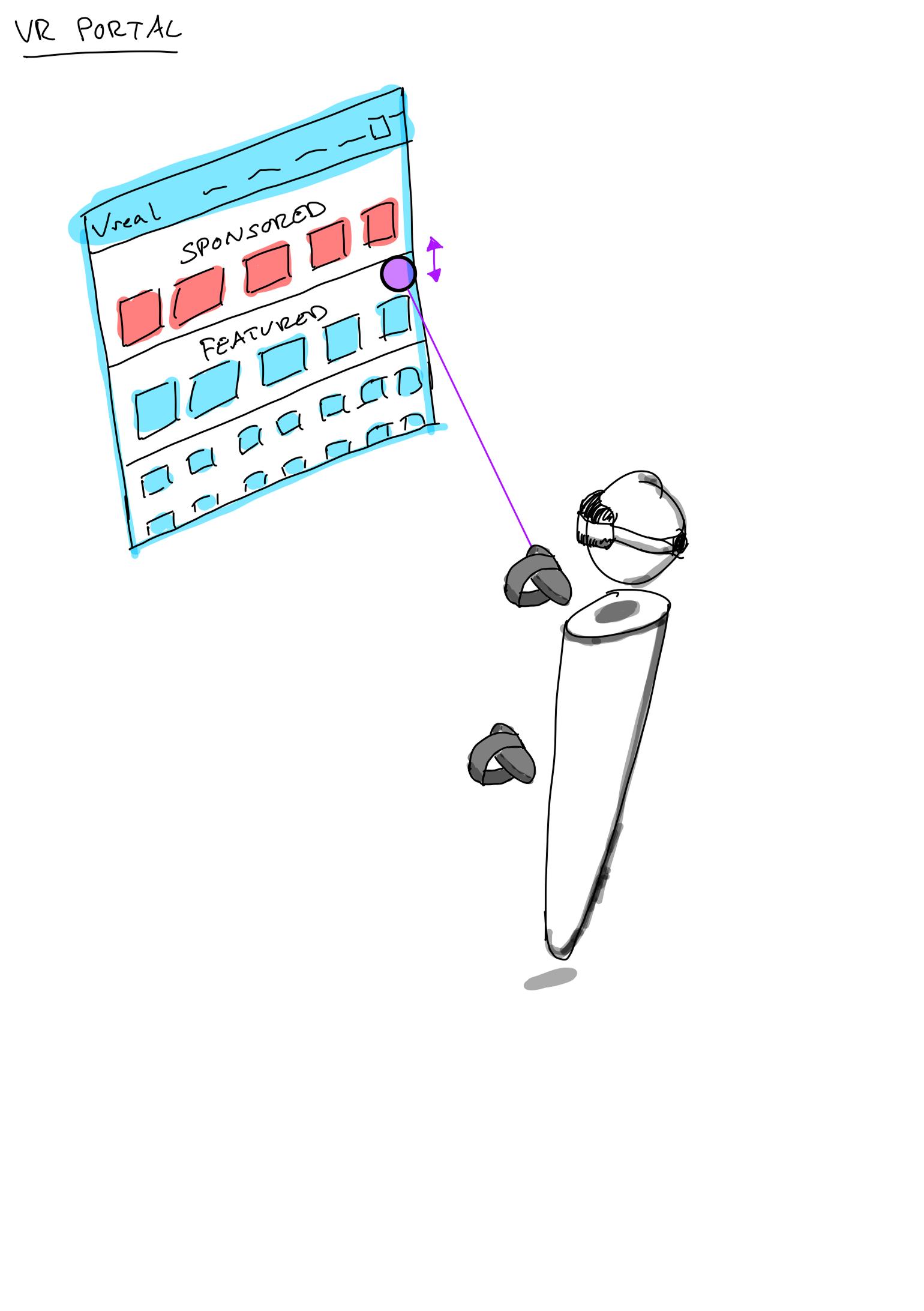
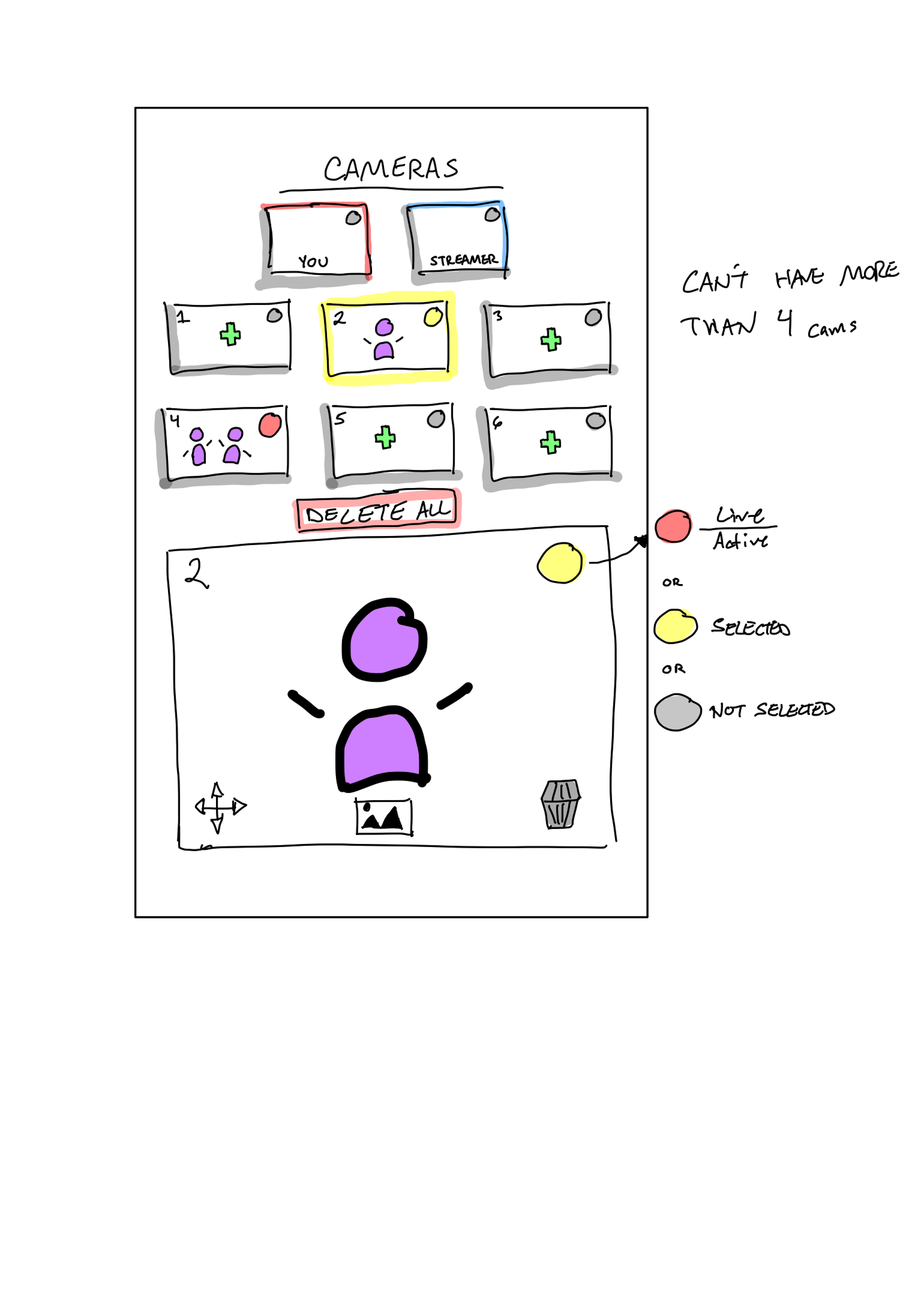
The design work spanned the desktop application and its flows, VR explorations, motion studies, motion graphics for the web player, and a mobile concept.
Desktop Application
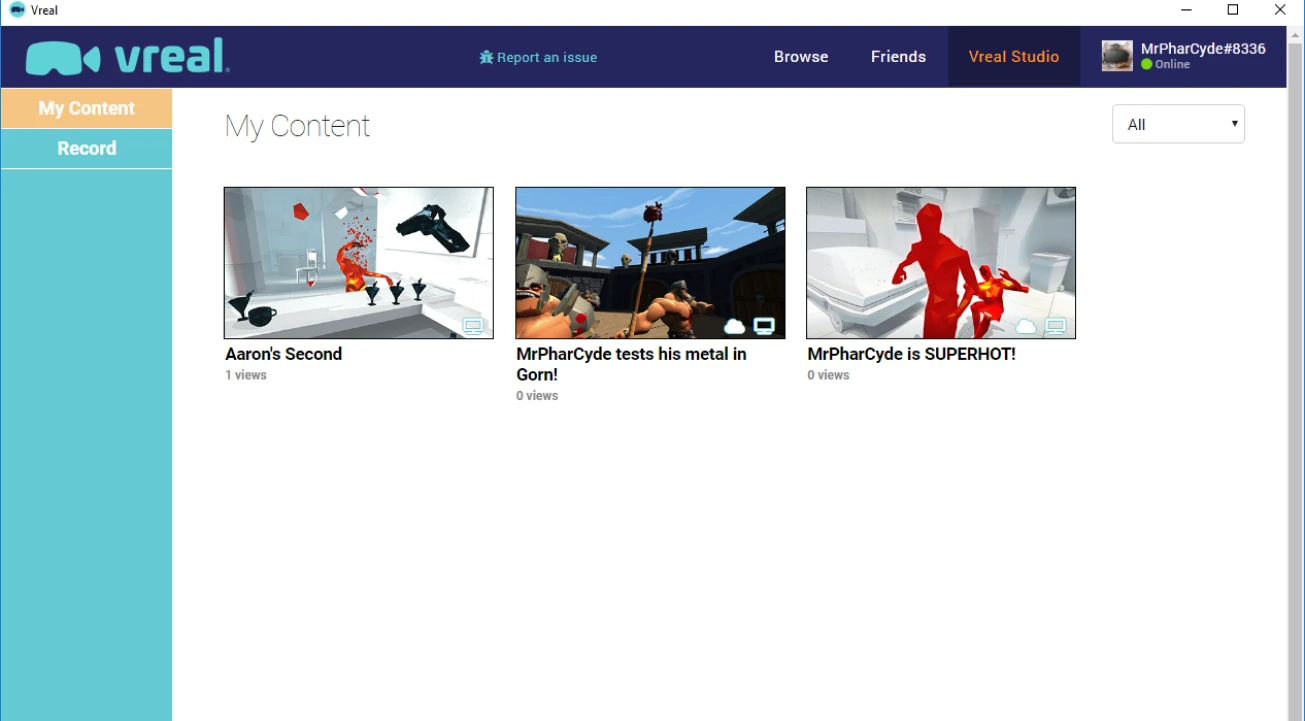
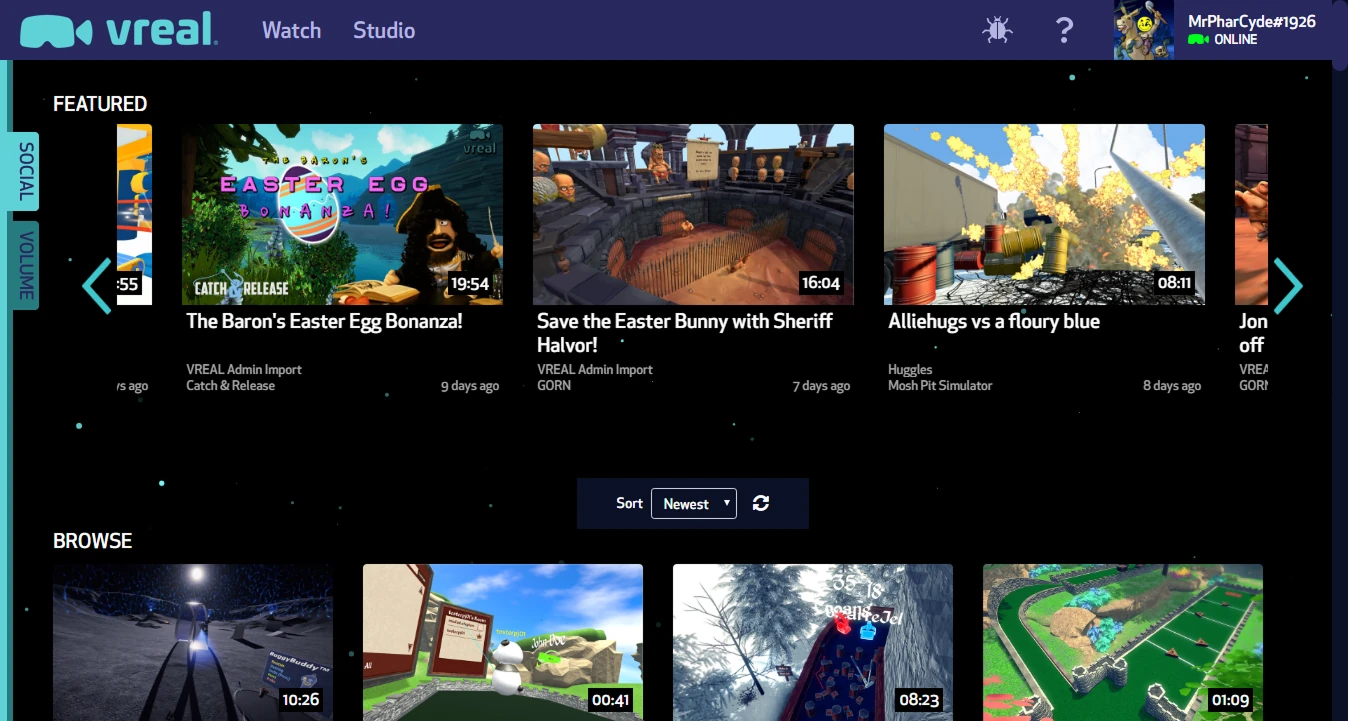
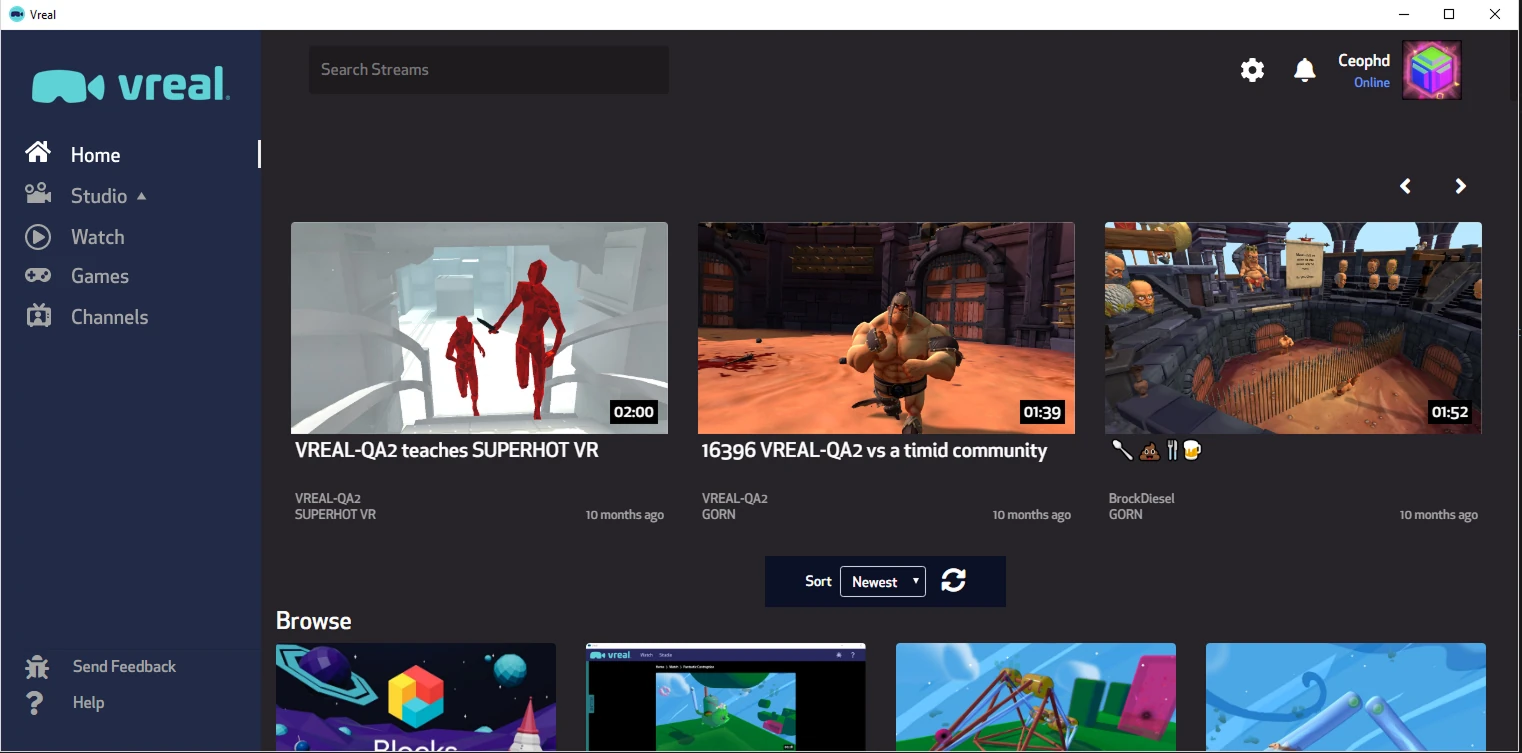
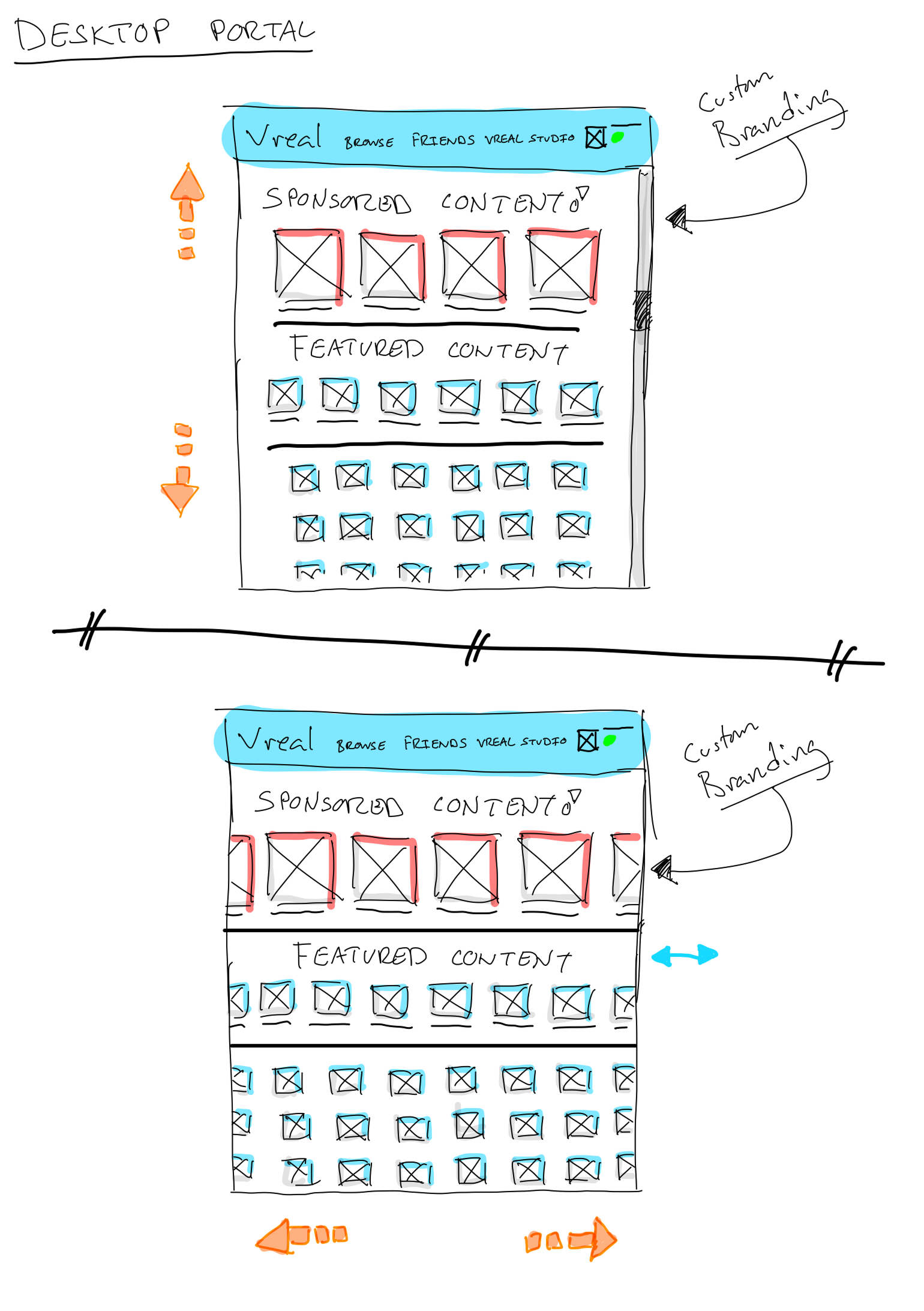
The landing page went through three versions while I was there, from the initial controlled release to a fully responsive layout.
Flows
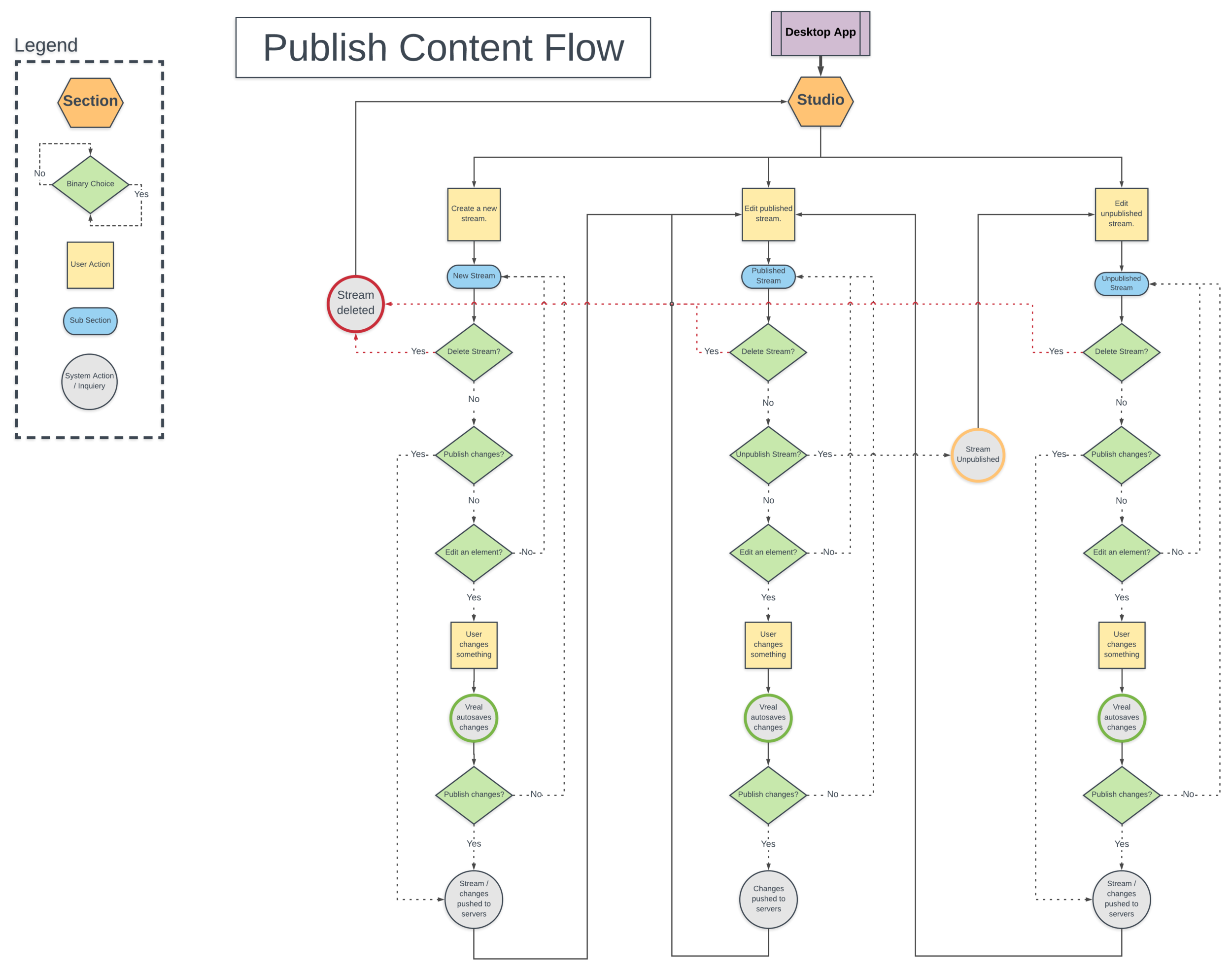
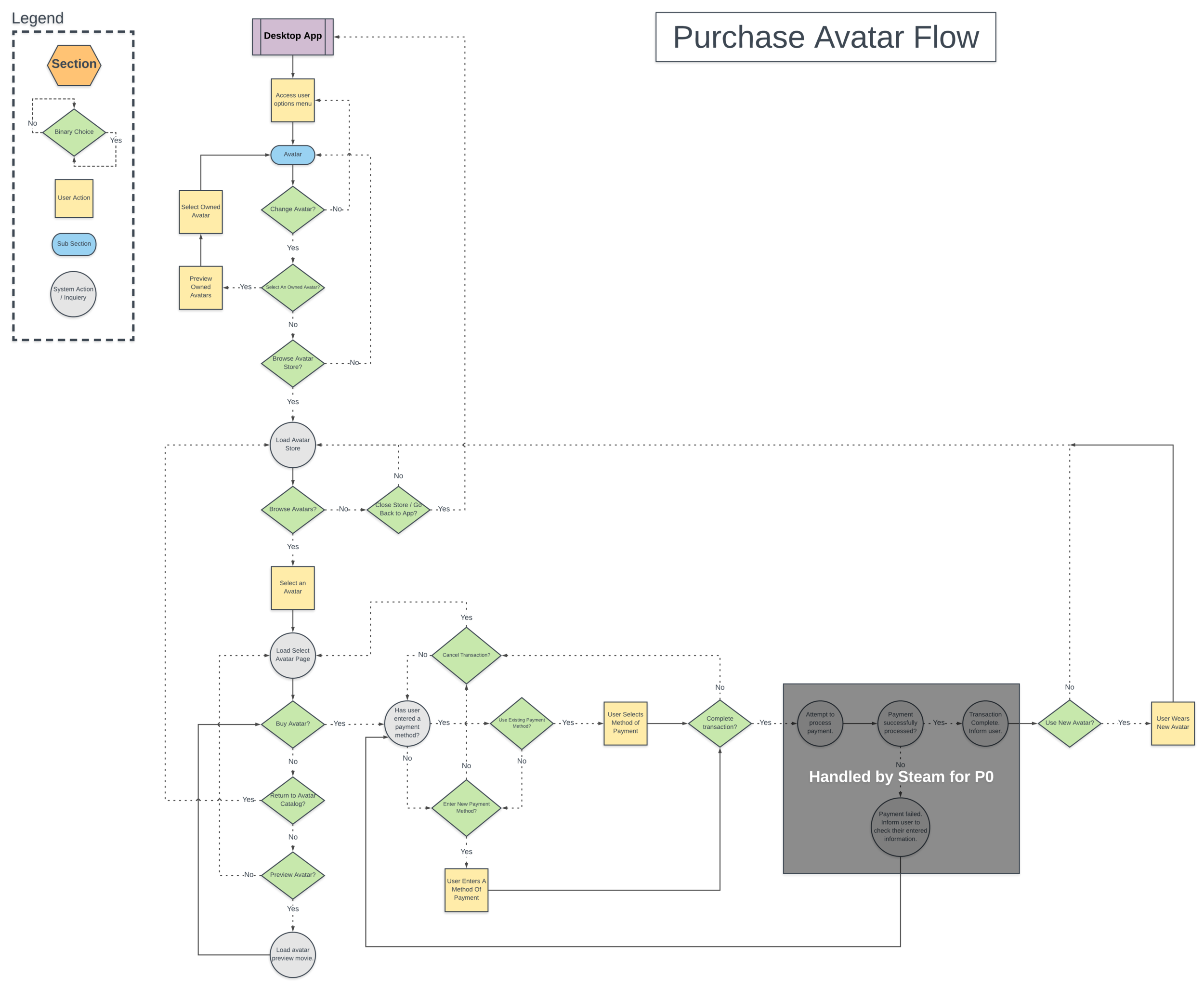
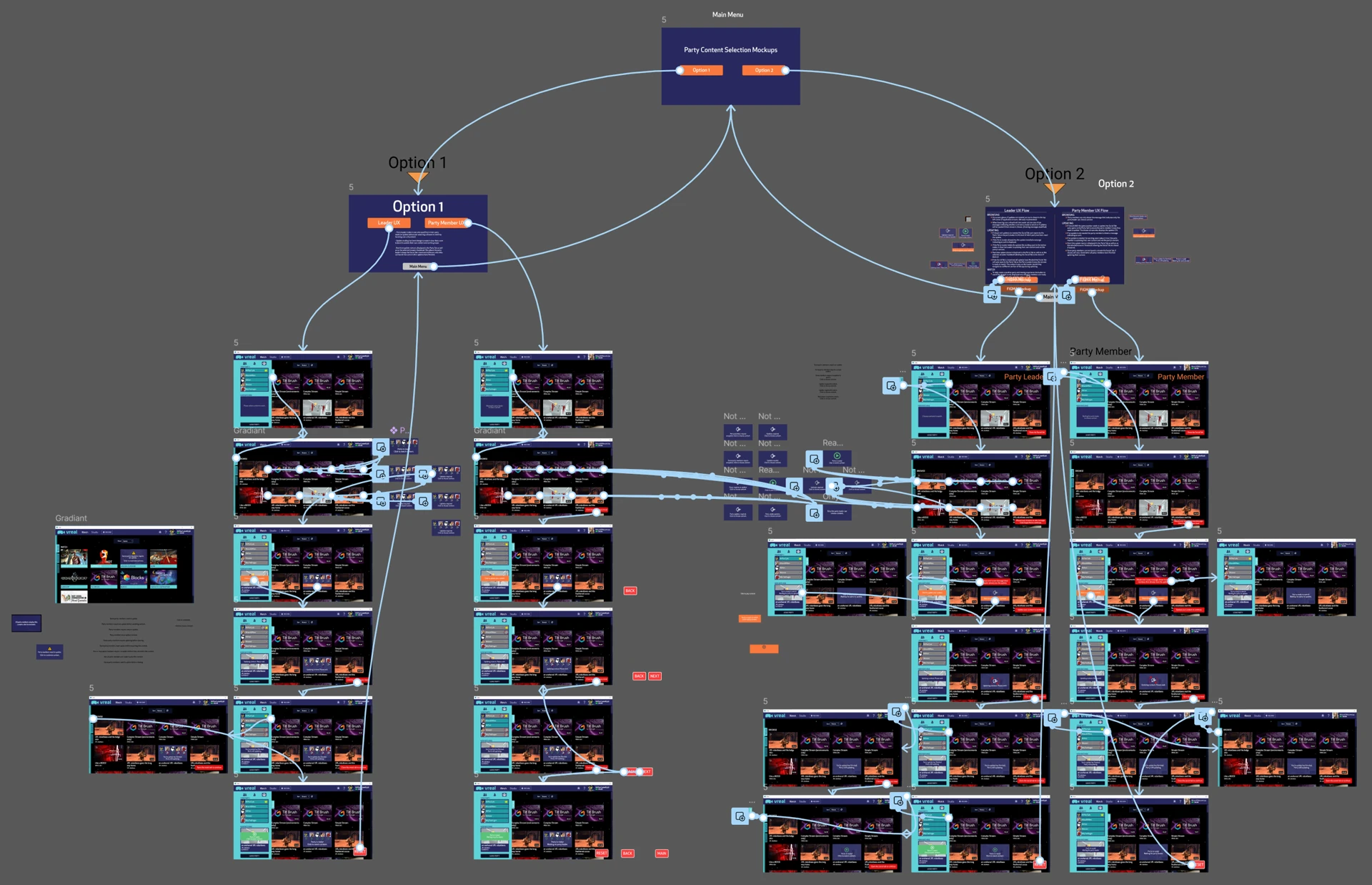
Flows helped me understand how the systems connected and how users would move through features, and made sure every screen was accounted for. These are two of many: one plots the publishing experience for content creators, the other an exploration into letting users buy and change their in-game avatars, which was never realized.
Software: Lucidchart
Wireframes & Prototyping
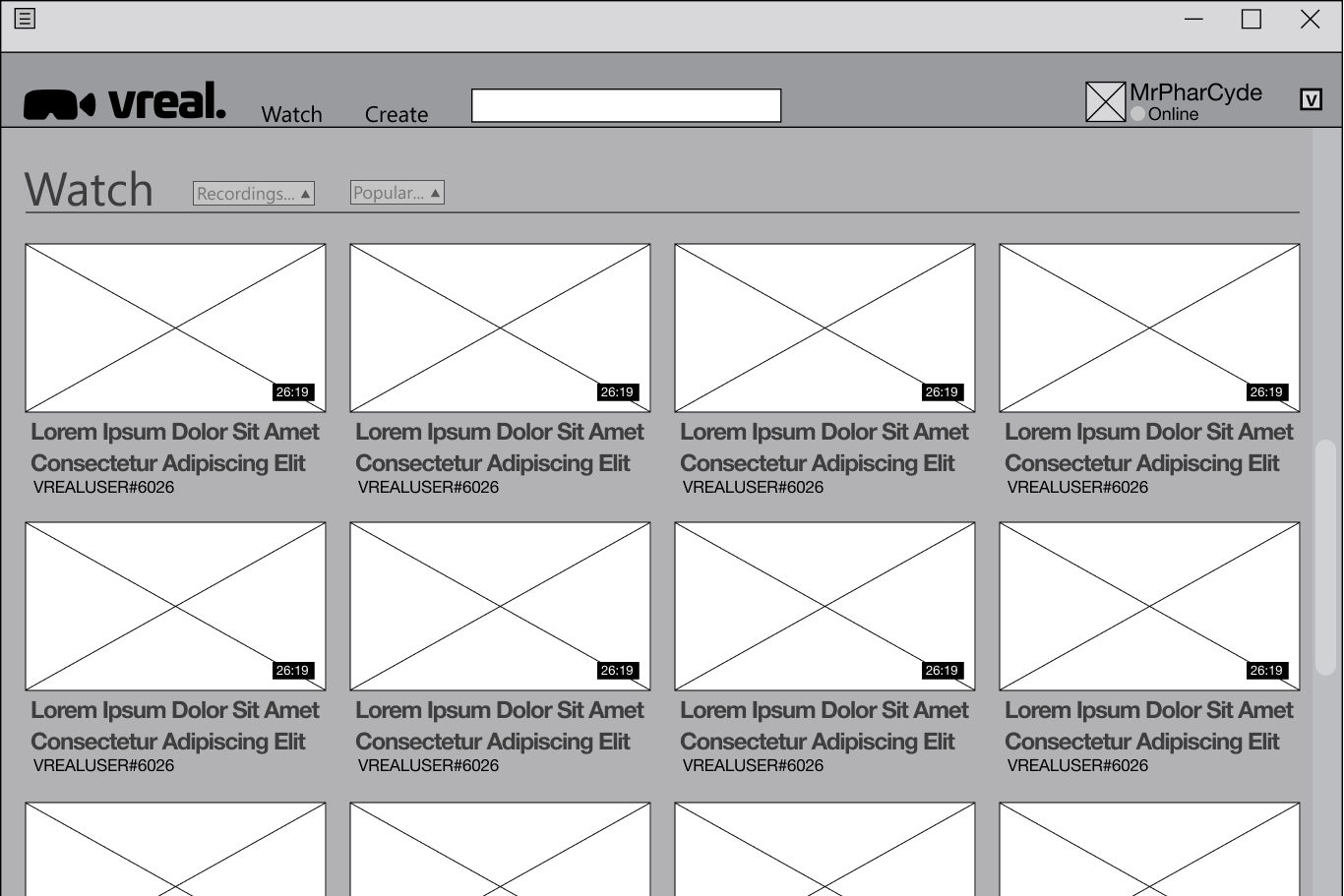
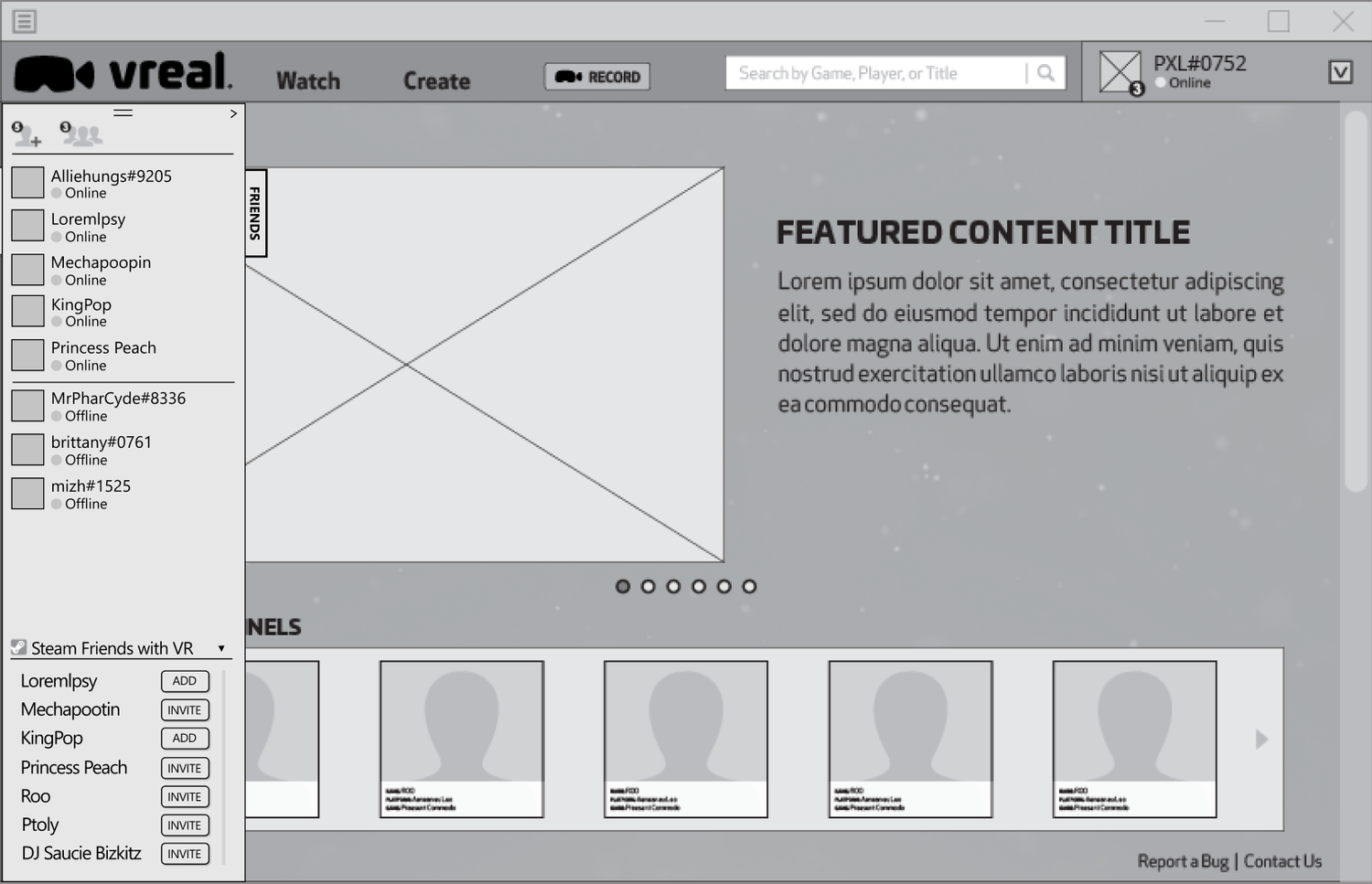
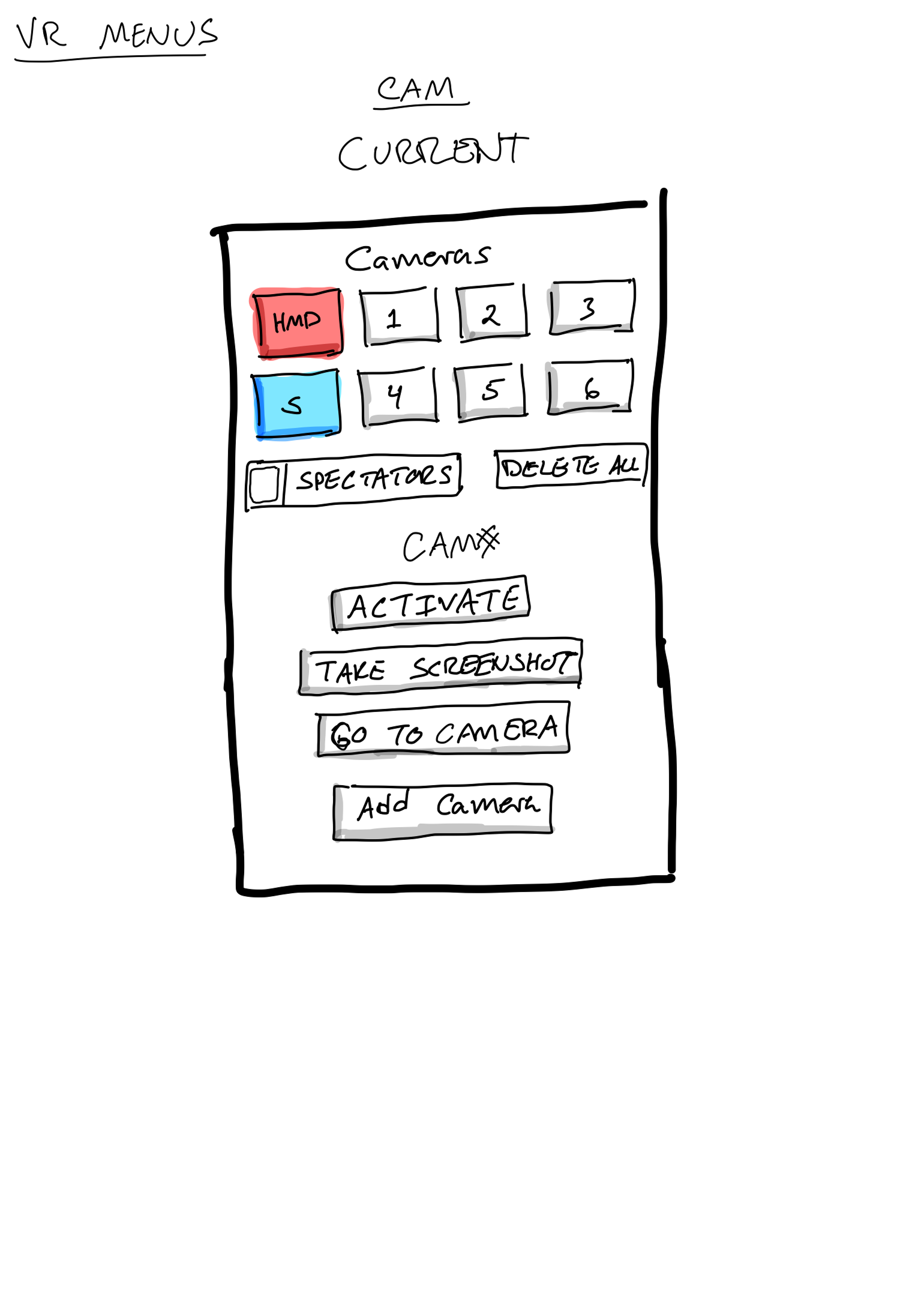
Every feature, major or minor, benefited from rapid iteration to test several solutions. These low-fi wireframes explore the main landing and browse pages, and the hi-fi one is an iteration of the third and final responsive redesign.
VR Explorations
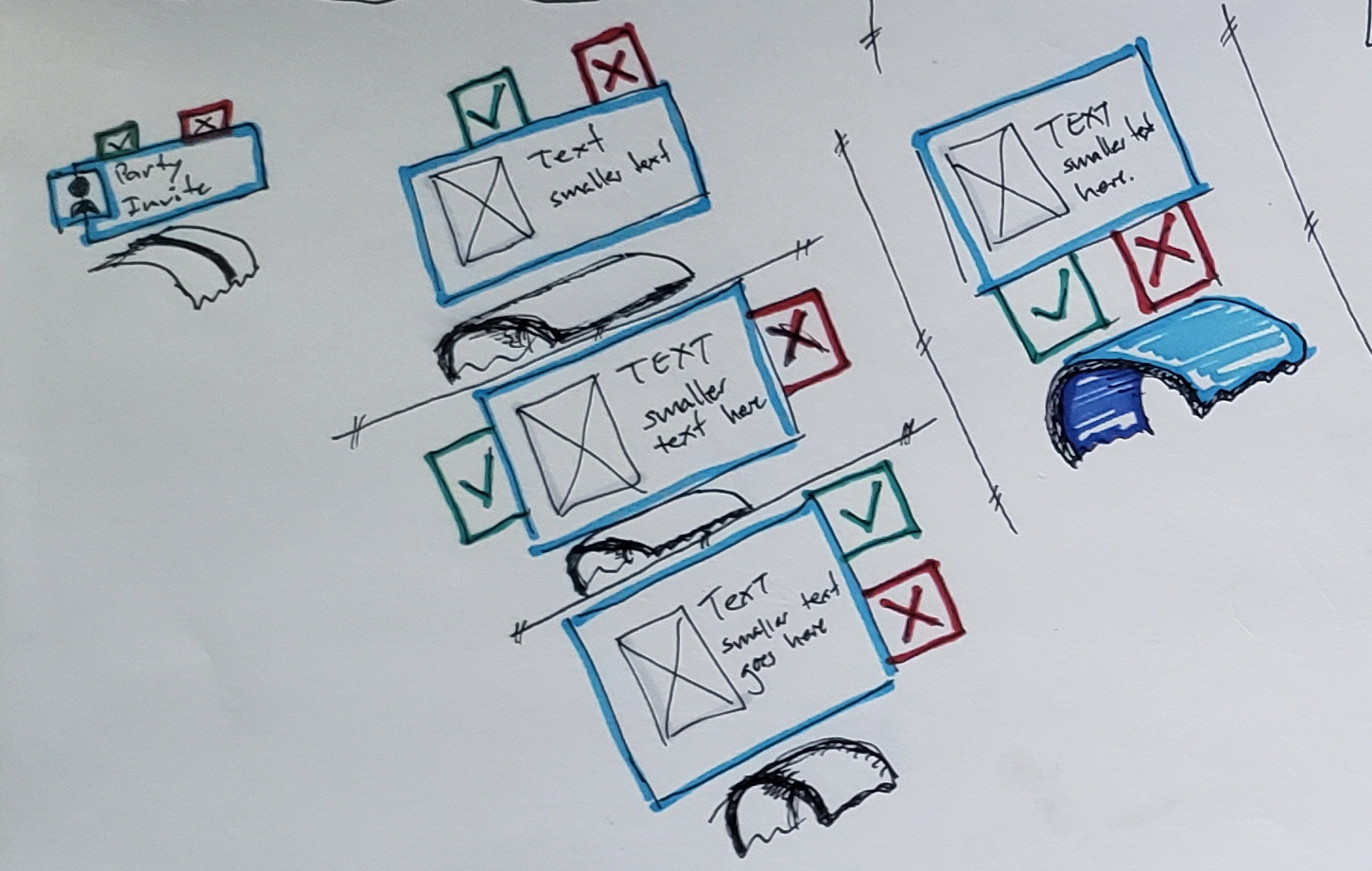
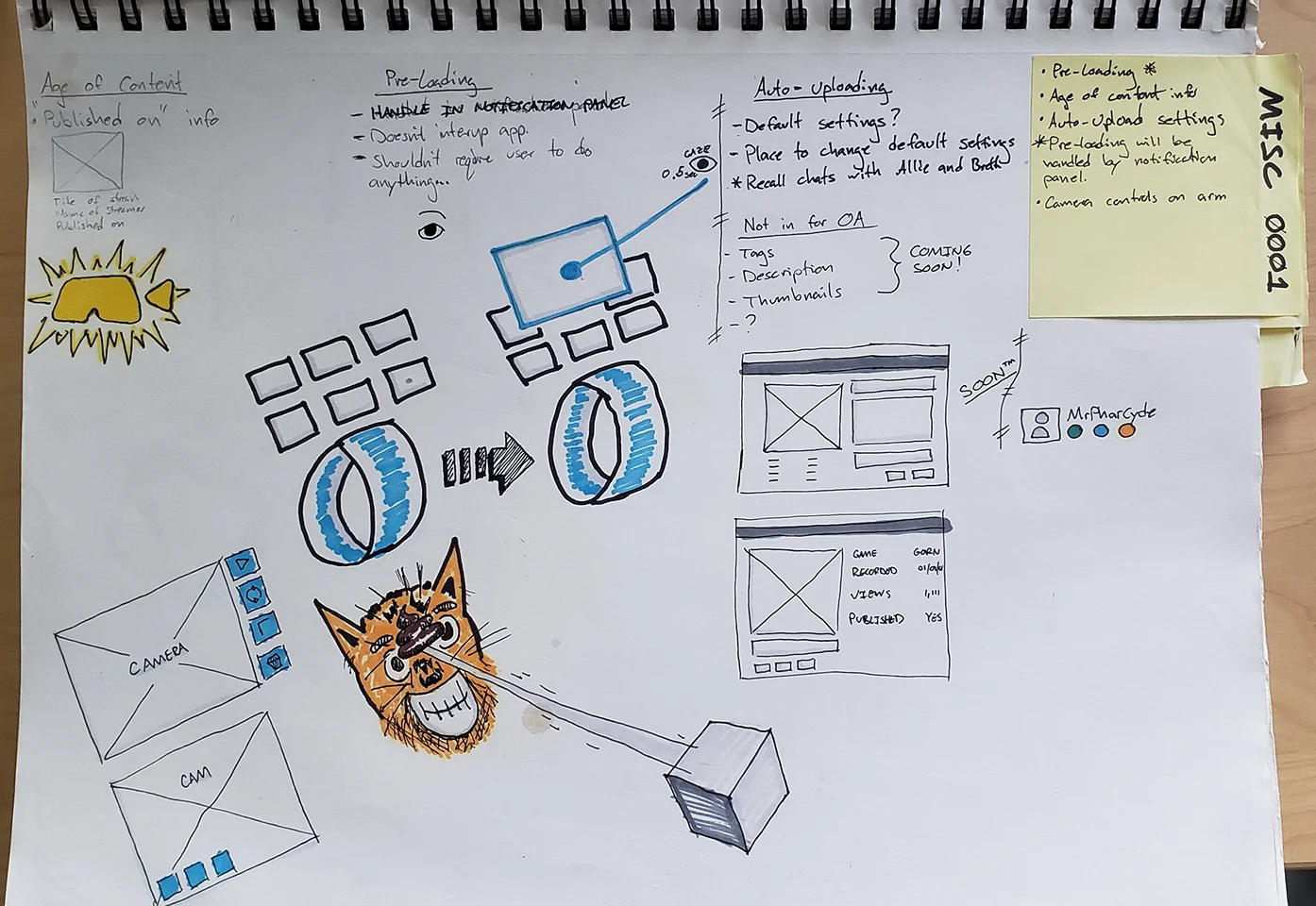
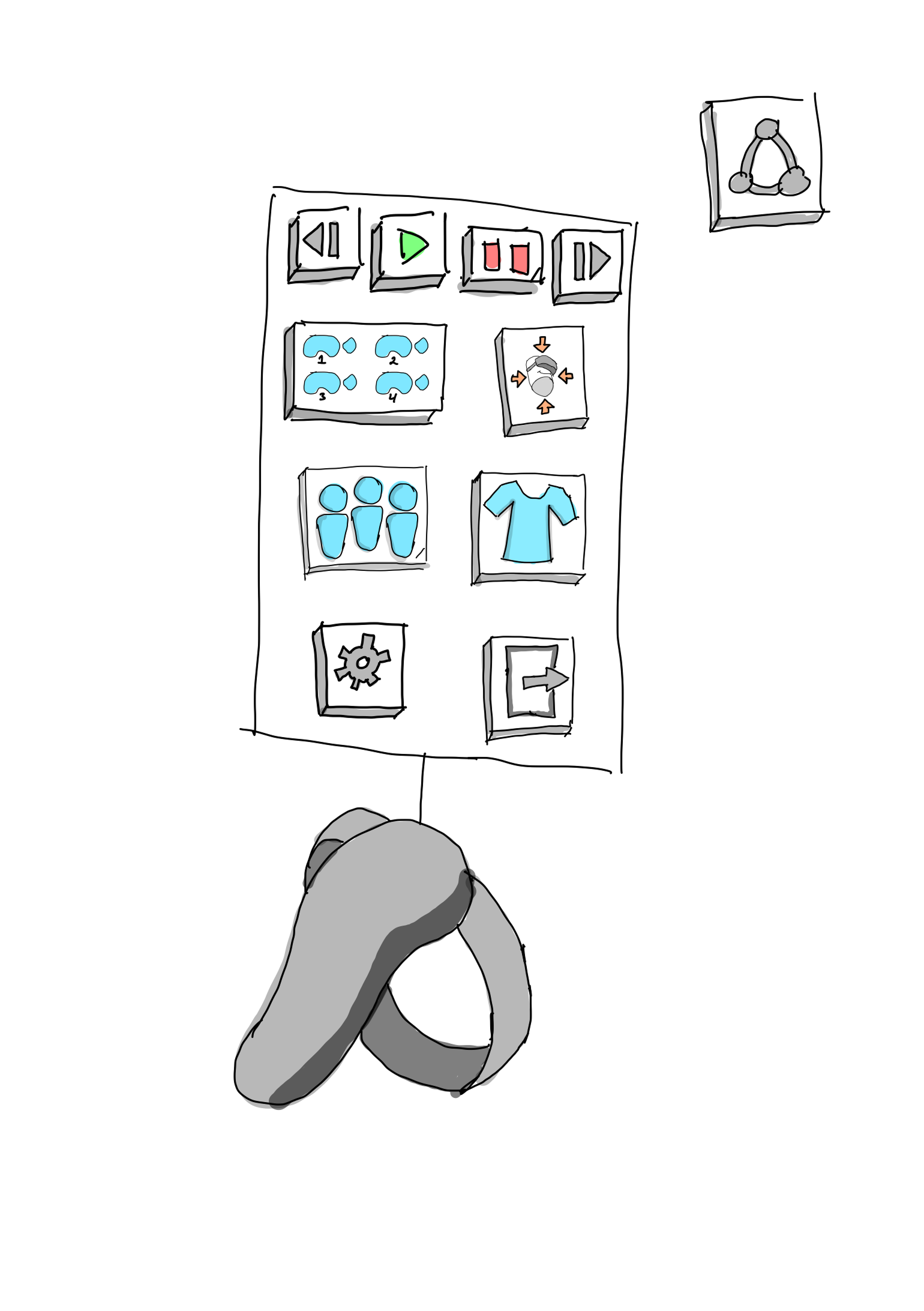
A viewer watching a recording in VR would miss any party invite. Invites only appeared on the desktop app, so unless someone took off their headset and went looking, they'd never know one had arrived.
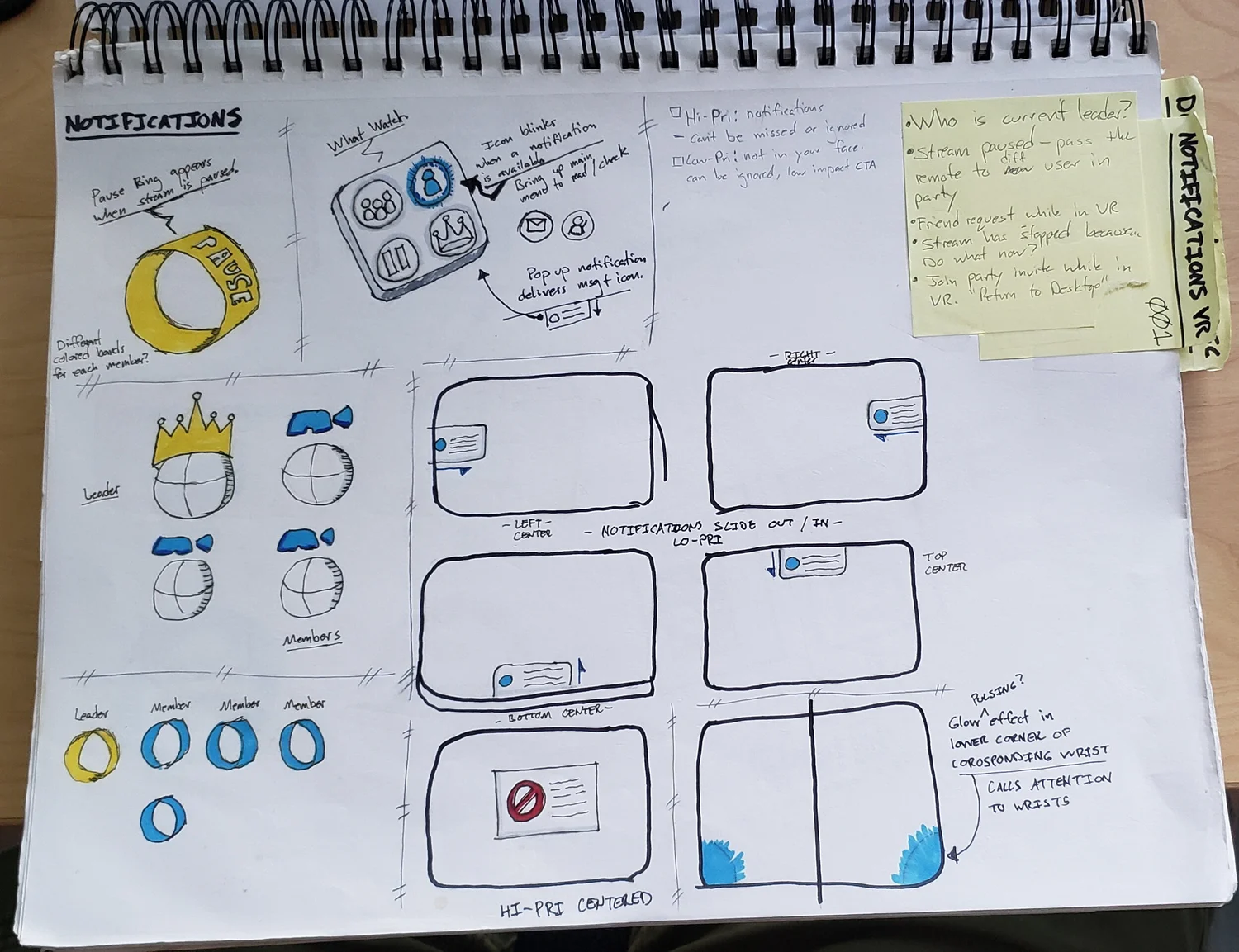
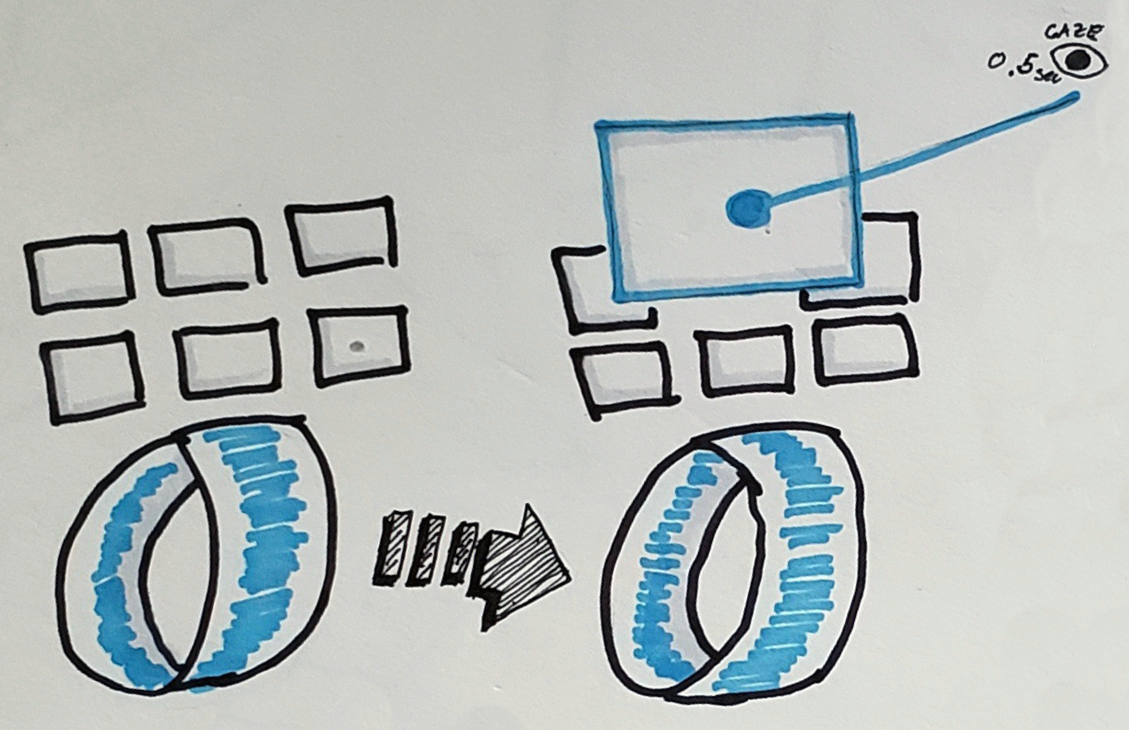
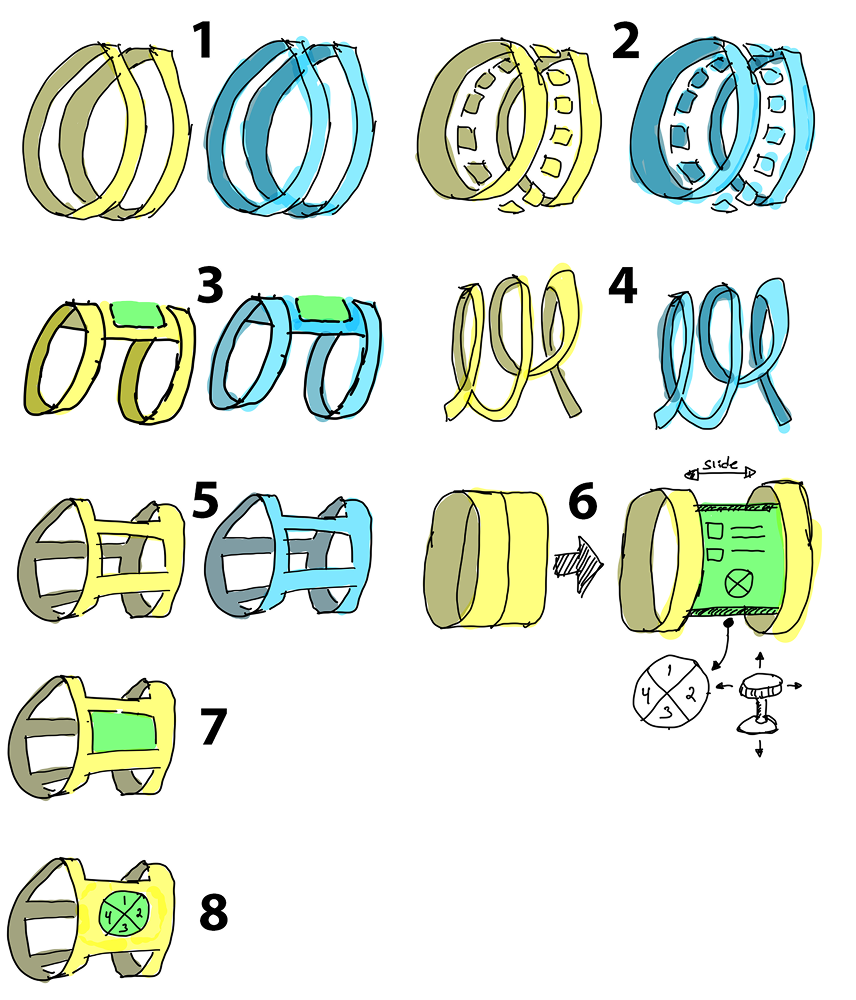
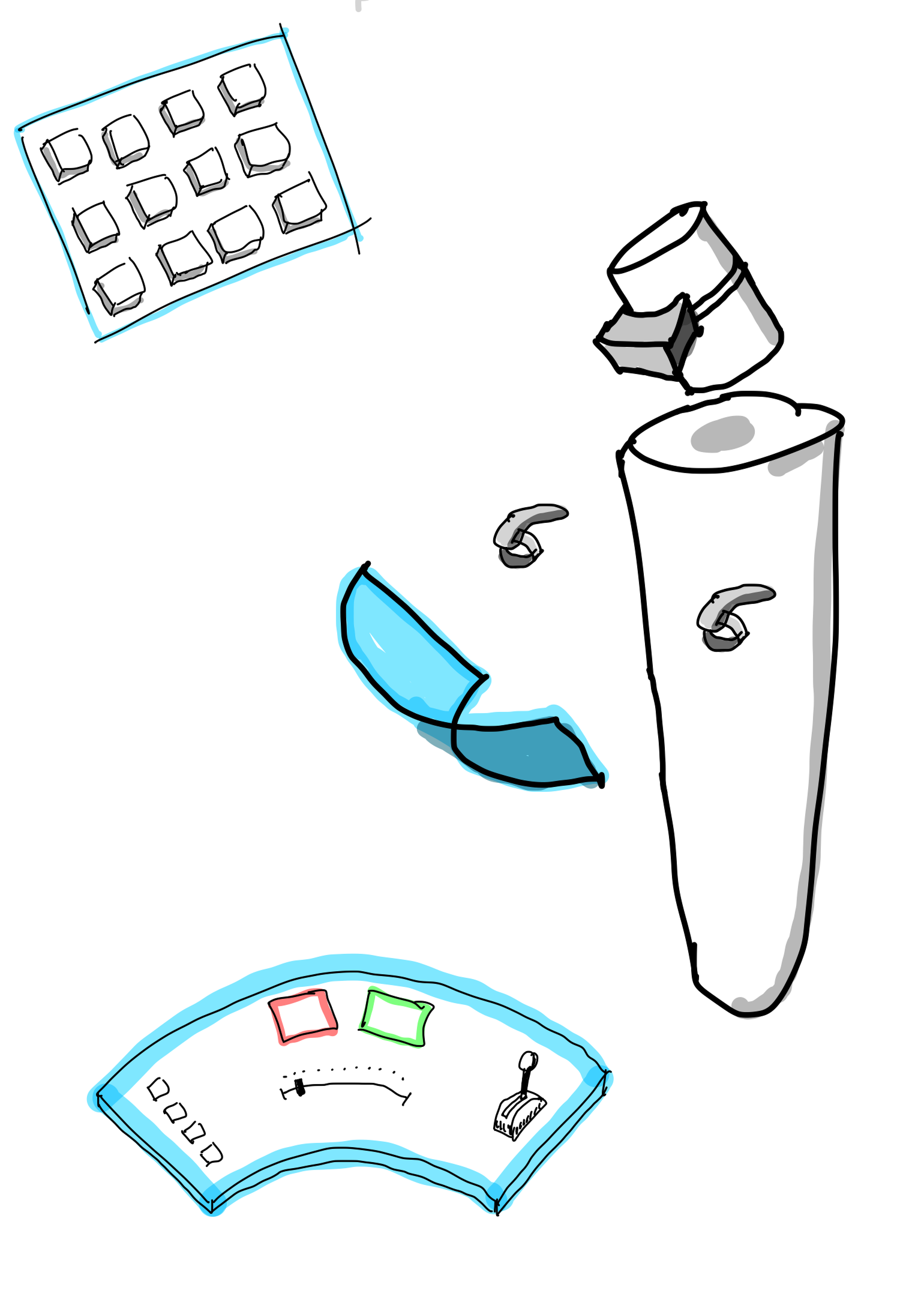
The exploration was a notification bracelet. It would blink and make a sound to get the user's attention, and they could rotate their wrist to bring the notification up and act on it. Balancing that against not interfering with the viewing experience was the design problem.
Only the bracelet and the Pause notification were implemented, plus a blue bracelet to indicate party members. Other priorities and the eventual move to 2D stopped the more advanced features from being built.
I created and assembled the bracelet assets and the look-at behavior.
Motion Studies
Motion studies are a good way to communicate how a feature is meant to work. This one shows my design for the volume sliders. The desktop app still needed to be usable from inside VR, so the design used large sliders that slid out on a shelf from the left.
Software: Assets created in Figma and edited in After Effects.
Web Player & Motion Graphics
We wanted wait times to feel shorter for users watching through our web portal, previously at vreal.net. I made two three-second motion graphics over two days, both busy on purpose to keep the eye occupied while content loaded.
The player had two load states to communicate:
In Queue: "Getting ready…" — the user has launched a piece of content. Depending on their connection and other backend elements, this could take upwards of a few minutes in extreme cases.
True Loading: "Almost there!" — plays once the chosen content has finished loading and is about to launch.
Software: Assets made in Figma, animated in After Effects, and exported with the Bodymovin plugin to work in a React environment.
Mobile Concept (Unreleased)
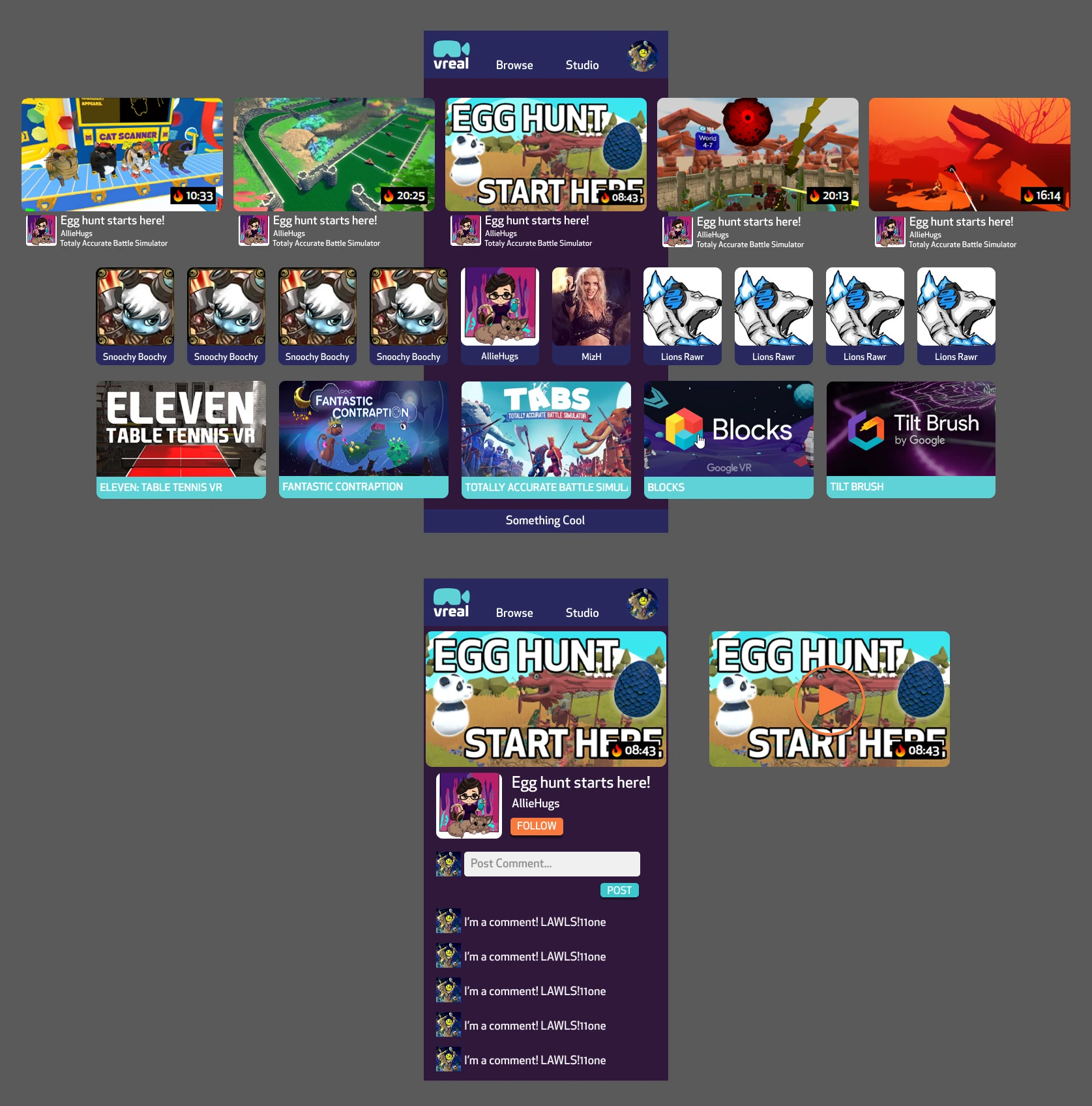
A mobile version of Vreal was discussed as a future possibility but never made it into production. I took it on myself to mock up what it might look like, as a jumping-off point for the team.
04
Outcome
The market wasn't there
Vreal reached Steam Early Access and even shipped a web-based viewing experience that didn't require a headset. It wasn't enough. The VR market was still small, the company couldn't bring in additional funding, and Vreal closed down in 2019. My designs shipped in both releases: the redesign that launched with Steam Early Access, and the responsive redesign that became the web version.