


01
Overview
The invisible pile
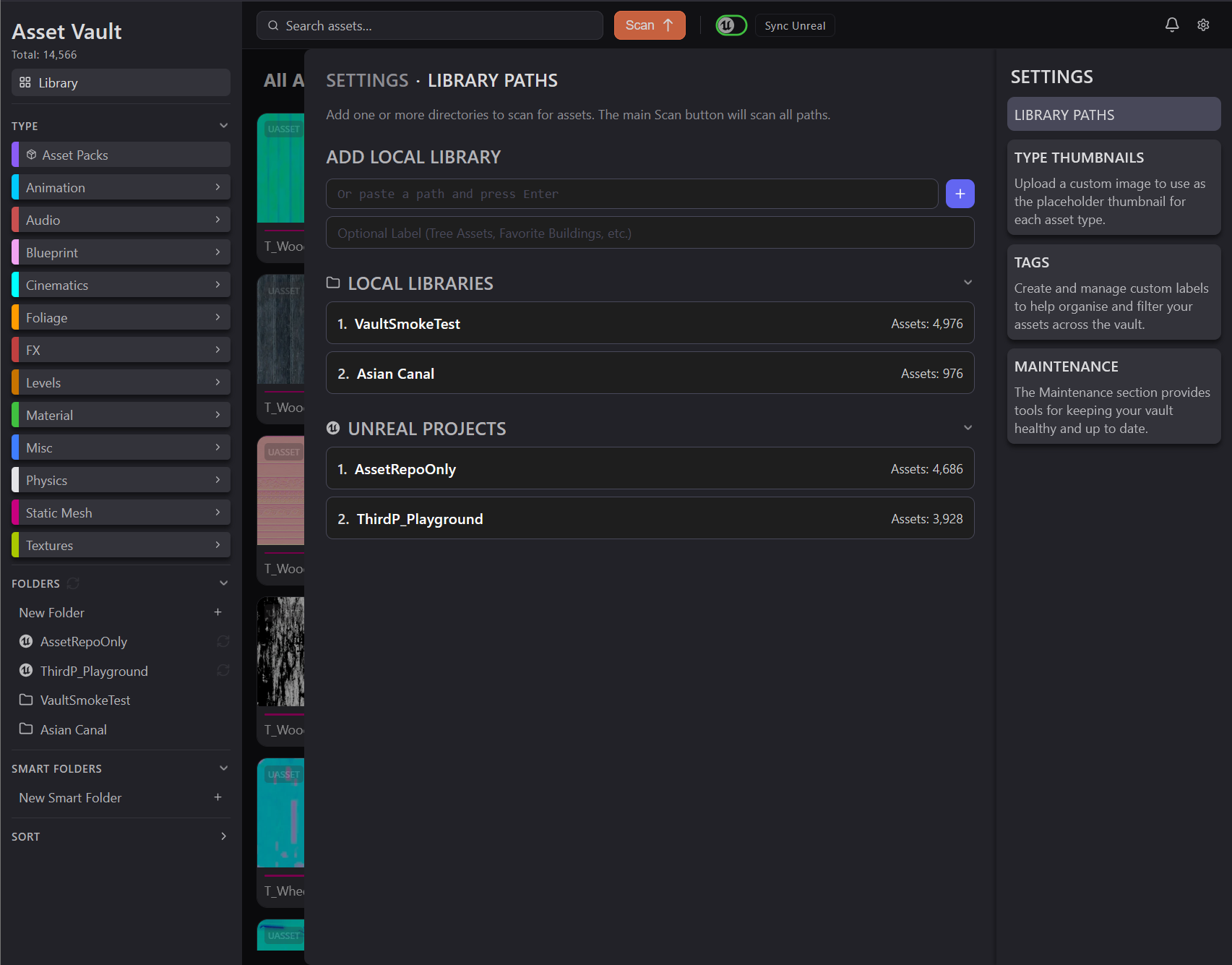
I've collected creative assets for years: Unreal, Unity, Godot, Blender, materials, textures, audio, VFX. They live on a network drive that's grown to 641 GB, and for a long time the library was effectively invisible, with thousands of assets I couldn't search, preview, or even reliably count. My workaround, an Unreal project called AssetRepoOnly, only opened inside Unreal, only handled Unreal files, got slower and bigger with every asset, and couldn't hand anything back to a real project without a manual export.
Asset Vault is my solution: a personal digital asset manager that catalogs a library from outside any engine. Scan a folder or sync a running Unreal project, and it renders thumbnails, reads the metadata, and puts everything behind one search box with tags, categories, and filters. I started out trying to cover every file type, then narrowed v1 to Unreal: it's the largest part of my collection, and I was learning the engine at the time. The other media types followed once the Unreal side was solid. Blender files and a few Unreal formats that don't suit a DAM are shelved for now.
Two other motivations sit underneath it. One was a single source of truth for everything I own, outside any one tool. The other was a question for Claude: how complete a DAM could the two of us build, compared to what's out there?
02
Challenge
Library on a budget
The tool catalogs roughly 14,000 assets today: a test corpus kept small enough to iterate against quickly, which gets wiped when it's time to ingest the real thing. The real target is that 641 GB drive, which the file explorer counts as roughly 30,000 files. That count includes compressed archives, so the true number of assets is higher.
I made Asset Vault for myself first. I'm customer zero. But years of product experience have taught me to lay the groundwork for a public release where possible, free or paid, whether or not I ever ship one. So I plan the architecture ahead where I can. The frontend and backend talk only over a REST boundary specifically so a desktop wrapper can come later, and features get their data schemas drafted before they're built.
And it runs on the same budget discipline as the rest of my work: I want maximum capability without paying for more than I need, so decisions get weighed against cost from the start.
03
Taxonomy
Structured mess
A digital asset manager is only as good as the structure it can impose on a messy pile, and that structure is the real design problem. It shows up in three places, and they get progressively harder.
The first is sorting by type, which turned out trickier than expected. Rather than invent my own scheme, I modeled the main types on Unreal's Content Browser filters, so anyone who's used Unreal already knows the vocabulary: Animation, Audio, Blueprint, Foliage, Static Mesh, Textures, and the rest, each with its own accent color that carries through the whole interface as an at-a-glance signal.
The second is keeping a dense library legible. With thousands of thumbnails on screen, the constant risk is noise, so the interface is built to split information into visible tiers: the color-coded type nav, a browsable Asset Packs view, and a drill-down from pack to asset to a full detail drawer, so you're never looking at everything at once.
The third is the one that isn't finished. A lot of my collection lives inside compressed archives, and the scanner already handles the common case: it looks inside zip and 7z files, registers each asset it finds under its own path, and generates thumbnails without unpacking anything to disk. About a third of what's currently catalogued came from inside an archive. What's left is the harder edge, RAR files and archives nested inside archives, plus the plain fact that the 641 GB drive hasn't been scanned yet. For the Unreal-specific side I have some hope it gets easier, given the progress on my own UE tooling and Epic's own MCP work, but I'm careful not to count a solution I haven't built.
04
Process
Building the vault
Designing for the assets that fail
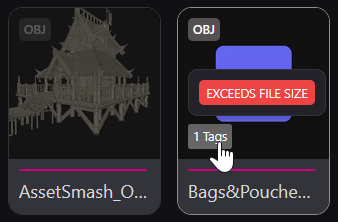
Some assets don't cooperate. Early on, large mesh files would stall a scan with no feedback, and my first thought was a spinner. Thinking it through, that wasn't enough. The spinner should say it's working on that specific asset, not just that something is happening. Then, past a certain size, the asset should be flagged as a problem with a message saying why, in plain language, suggesting you scan it on its own later when you've got the time. And it should always offer a way out, like uploading a custom thumbnail if you really want one. What shipped is a size gate: files past 250 MB get a placeholder and a red "EXCEEDS FILE SIZE" tag so they stay tracked rather than silently dropped. The gate isn't about what the renderer can do. It's about what a scan can afford.
Thumbnails for all files
Every asset gets a preview through whatever method its type needs: standard image handling for 2D, tone-mapping for HDR, and an isolated renderer process for 3D meshes so a large library is actually scannable instead of a wall of generic icons. Anything without a meaningful visual, audio being the obvious case, falls back to a color-coded type badge rather than a generic file icon, so the grid still reads at a glance. The Unreal side has its own trick. Unreal embeds a preview image inside its
.uasset files, and I pull that out directly, without opening the editor, so a freshly dropped pack can be thumbnailed in bulk.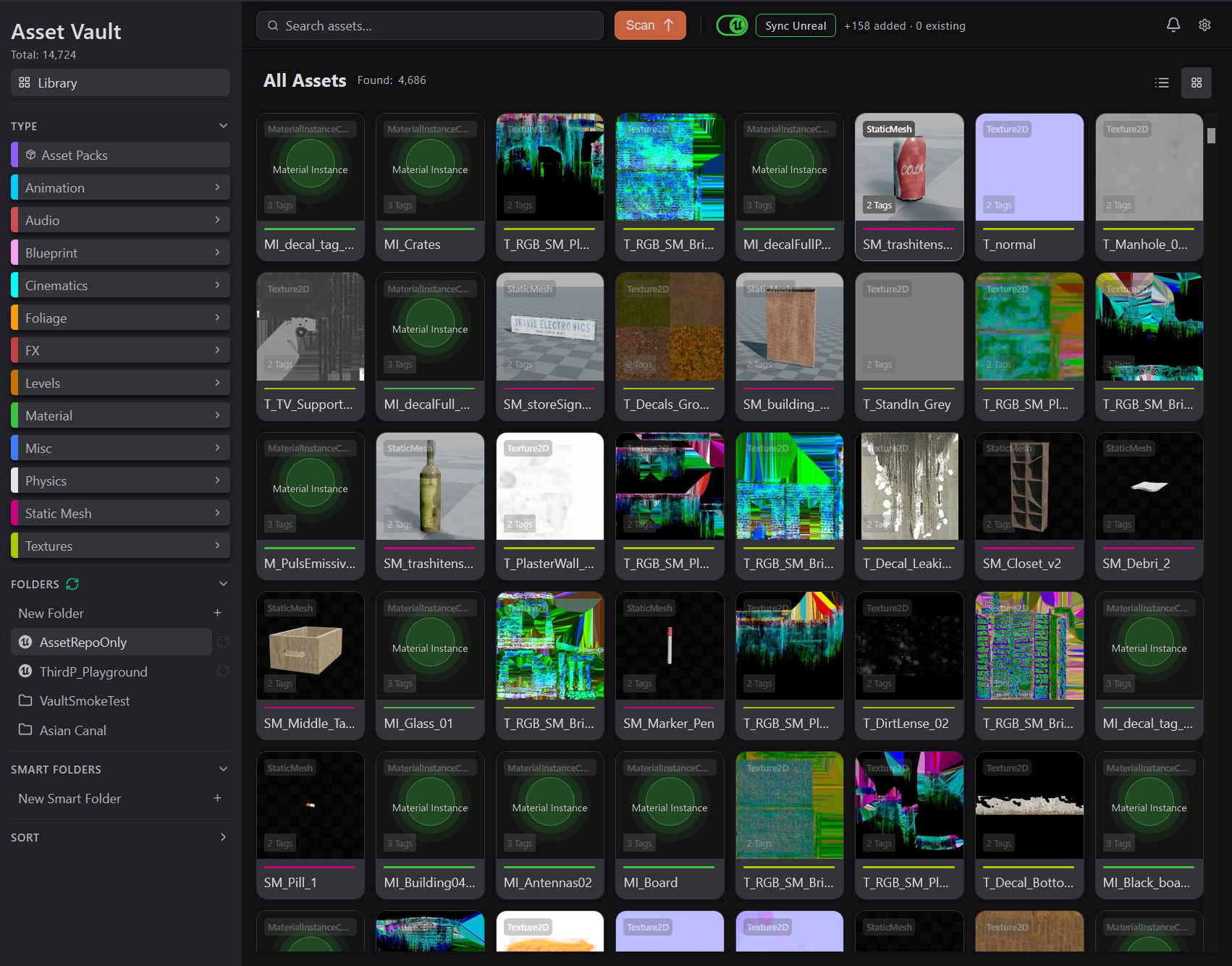
See it, then send it
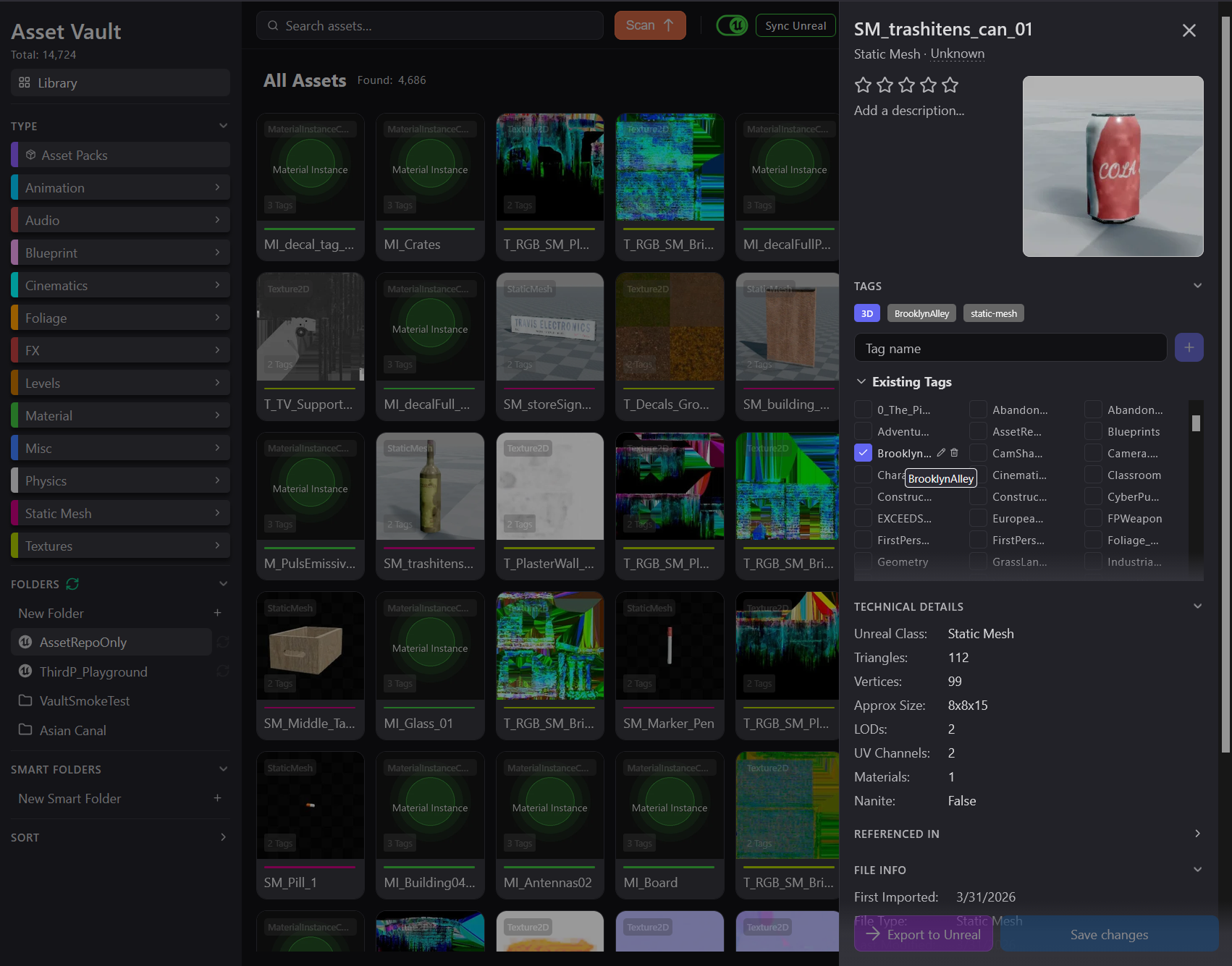
Clicking an asset opens a detail drawer that reads the real metadata Unreal itself records about the asset: Unreal class, LOD group, triangle and vertex counts, size, UV channels, materials. That's the groundwork for the eventual goal of asking the library questions like "do I have any low-poly tree assets," since the data those questions need is already being captured. And the drawer isn't meant to be a dead end. An Export to Unreal button drops an asset straight into the currently synced project, one file at a time, so that once I've found what I want I don't have to go hunting through the source pack to bring it in. It worked in testing, but the button isn't wired up properly yet, so it's disabled while I work on something else.
Owning the index
The point of all of this is to not depend on an engine to see my own work. The catalog lives outside Unreal, outside Unity, outside Blender, and holds them all in one place.
05
Limitations
What's still unsolved
I keep an honest list of where this hits a wall, because knowing why something is parked is how I avoid re-fighting it later.
Some walls are the platform's. I wanted a custom warning when you close the tab mid-sync, but browsers don't allow a customized version of that dialog, so the real fix waits for the desktop wrapper. I also hoped I could retire Asset Vault's small in-editor Unreal plugin and route everything through my separate UE-Bridge tool now that it's matured, but they don't fit: UE-Bridge is built to be driven by a language model, with no plain interface a scheduled backend can call. So the two tools I built don't connect the way I'd hoped, which I found out by checking rather than assuming.
Others are honest design compromises. A thumbnail only exists for an asset Unreal has already cached, which happens once you've viewed it in the Content Browser, so instead of hiding that, the whole workflow is built around it: open a pack once, let it populate, then retry thumbnails. It's a limitation I designed with rather than papered over.
06
Outcome
A living sandbox, aimed at a moving target
Asset Vault works end to end today. I can point it at a folder or a running Unreal project, watch thumbnails generate across every media type, and browse, filter, tag, and export what I find. It's a sandbox, so nothing is final, and I like it that way. I opened it for the first time in a few months while putting this together and immediately started a list of things I want to change.
The number that matters isn't the ~14k it holds now, it's the 641 GB drive it hasn't touched yet. The goal I'm building toward is the day I stop bothering to sync that old AssetRepoOnly project at all and just reach for Asset Vault first, for any asset I need to find or evaluate. The furthest goal is being able to ask the library real questions, like which of my tree assets are low-poly, which means having Claude (or any LLM) analyze every asset in a way that taps paid API calls. I want the app further along before I go down that road, and keeping that cost in view is part of the point.